skylar
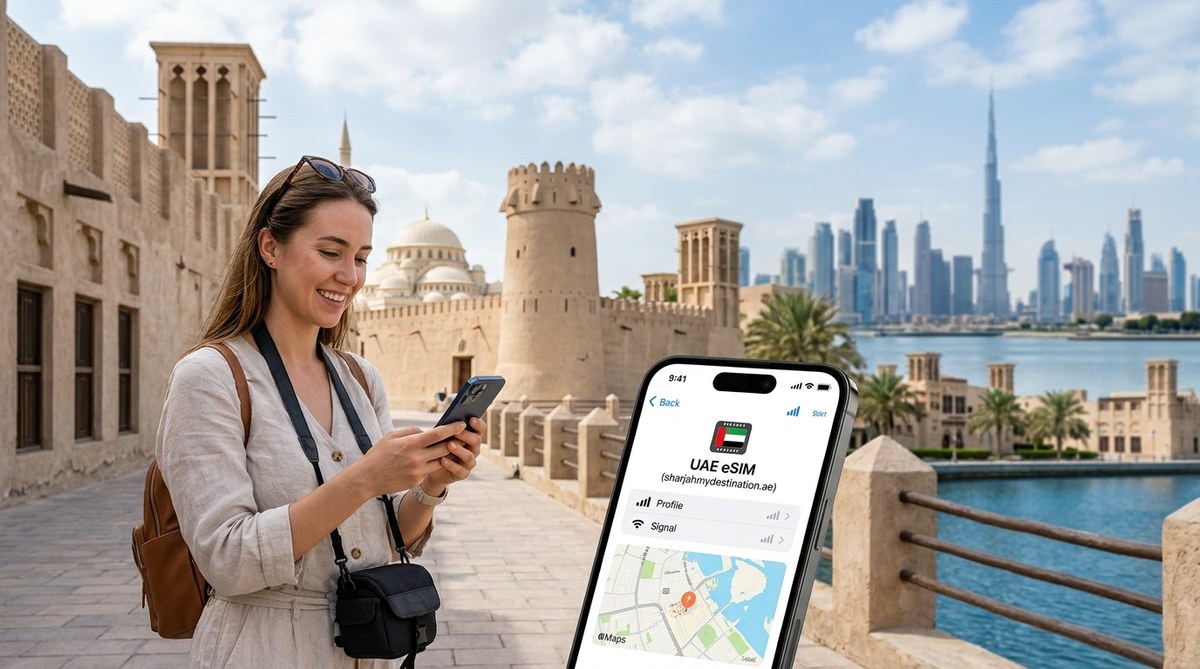
You land at Dubai International Airport, clear immigration, and step into the arrivals hall. Your phone has no signal. You need to call your hotel in Sharjah, open the map to find the bus to Al Majaz, or message the family back home. This is the moment a good eSIM plan proves its worth. Getting connected before you travel removes one of the biggest headaches of any international trip. This guide walks you through everything you need to know about using a UAE eSIM for tourists, with specific advice for anyone splitting time between Sharjah and Dubai.
An eSIM lets you activate mobile data before you leave home, so you have internet the second you land. The trick is to check phone compatibility, install over reliable Wi-Fi, and keep your home SIM active for banking codes. Focus on preparation now, and you will avoid confusion at the airport or while navigating between Sharjah’s heritage areas and Dubai’s busy districts.
What to do before you fly
The best time to set up your eSIM is while you are still at home, sitting on a stable Wi-Fi connection. Airport Wi-Fi can be spotty, and roaming data from your home provider often runs out fast. Follow these steps before your departure date.
- Confirm your phone is unlocked. A locked phone will not accept an eSIM from a different provider. Check with your current carrier. Most modern phones sold as unlocked work without issues.
- Check eSIM compatibility. Not every phone supports eSIM technology. Older models and some budget devices may lack the hardware. Look in your phone settings for an option labelled “Add mobile plan” or “Add eSIM”. If you cannot find it, search online for your phone model followed by “eSIM compatible”.
- Buy your eSIM plan ahead of time. Do this at least two days before your flight. You will receive a QR code or activation code by email. Do not wait until you are at the gate.
- Install the eSIM profile over Wi-Fi. Use your home internet or a trusted hotel network. Mobile data during installation can interrupt the process.
- Keep your home SIM active. Many banking apps and messaging services send verification codes to your regular number. If you remove that SIM, you might lock yourself out of important accounts.
A traveller who removes their home SIM before landing often cannot access banking apps. Keep the physical SIM safe in your wallet or bag. Your eSIM handles data, while the home SIM stays ready for those one-time passwords.
Choosing the right data line for your trip
You do not need a complicated plan. Think about how you actually use your phone during a holiday. Do you stream videos at the hotel? Do you rely on maps for walking around Al Qasba or the Dubai Mall? Do you post photos to social media each evening?
- A plan with a generous data allowance works well if you use maps, ride hailing apps, and social media daily.
- A smaller plan may be enough if you mostly use Wi-Fi at your accommodation and only need data for short outings.
Look at Middle East travel eSIM plans to compare country and regional options, and review tourist eSIM options when you want a broader shortlist. Sharjah and Dubai are both in the UAE, but you should still confirm the plan’s destination list, validity, allowance, hotspot terms, and activation conditions before paying.
How to avoid accidental roaming charges
Your phone can keep both lines enabled while using the travel eSIM for data. Select the eSIM as the cellular-data line, turn off cellular-data switching, and disable data roaming on the home line. Follow the provider’s instructions for the travel line, because some travel eSIMs require data roaming to be enabled. Receiving calls or SMS on the home line may still incur charges under your home carrier’s terms.
Keeping offline maps as a backup
Mobile reception can vary by building, location, device, plan, and network conditions. Download offline maps for Sharjah and Dubai before you leave. This helps you find your way to the Sharjah Art Museum or Dubai Creek when a live connection is unavailable and preserves data for tasks that need it.
What to do if activation fails
Activation problems are rare but they happen. Most issues come from a poor internet connection during installation or an incompatible phone. Here is what to check.
| Problem | Likely cause | What to try |
|---|---|---|
| QR code not recognised | Phone may not support eSIM | Restart the phone and try again |
| No signal after installation | Data roaming still on | Turn off roaming in settings |
| Profile downloads but does not activate | Weak Wi-Fi during setup | Delete profile, reconnect to Wi-Fi, retry |
| “No SIM” error message | Physical SIM tray is empty | Insert home SIM and set eSIM as data line |
If none of these steps work, contact the eSIM provider through its published support channel. Include the order reference, exact plan name, phone model, location, displayed network, error message, and steps already tried. Never send a public QR code, password, or complete card number.
A typical day connected in Sharjah and Dubai
Imagine you are staying in a hotel near the Sharjah Corniche. Your eSIM is already installed. You check the weather, order a car to Al Noor Mosque, and later cross into Dubai to see the Dubai Frame. The same UAE data plan can remain selected throughout the day when its validity and allowance cover the trip, but actual reception can still vary by place and network conditions. Keep offline directions available for essential journeys.
For travellers who want to compare options side by side, a site like eSIM plan comparisons can help you see what different providers offer. This is useful if you are unsure whether you need a 7 day plan or a 14 day plan.
Mistakes that cost time and money
Some travellers make errors that could be avoided with a little planning. Here are the most common ones.
- Waiting until the airport to compare plans. A rushed purchase leaves less time to check compatibility, validity, and activation conditions.
- Forgetting to check if the phone is unlocked. A locked phone means the eSIM will not work at all.
- Removing the home SIM before installing the eSIM. You lose access to two factor authentication codes.
- Assuming all eSIMs work the same way. Some plans require you to select a network manually. Read the instructions from your provider.
- Not downloading offline maps. If your data runs out mid day, you still need to navigate.
Is an eSIM right for your group
Families and solo travellers both benefit from eSIMs. Each person can have their own data line on their own phone. There is no need to share a single connection or carry a pocket Wi-Fi device. Children with phones can stay connected for safety. Couples can split up during the day and still message each other. If you are travelling with older relatives who are not comfortable with technology, you can install the eSIM on their phone before the trip.
If you want to learn more about what the emirate offers, have a look at Discover the Hidden Gems of Sharjah’s Cultural Scene. Many of the best spots require a working phone to find, so being connected makes the experience smoother.
Staying connected while respecting local rules
App availability and calling features can differ by destination and may change. Check current UAE guidance and the app provider’s notices before travel. An eSIM supplies mobile data; it does not change local rules, remove an app restriction, or guarantee that every service will work exactly as it does at home.
Making your data last longer
A few habits help you stretch your data allowance.
- Connect to hotel Wi-Fi whenever possible. Use it for uploading photos or watching videos.
- Turn off automatic app updates. These can eat data in the background.
- Download music or podcasts at home before you fly.
- Use text only mode in your email app when you are out and about.
- Keep social media apps set to lower quality for video playback.
These small changes mean your eSIM data line lasts the full length of your stay, even if you chose a smaller plan.
What to pack in your digital bag
Think of your eSIM as part of your travel kit. Along with your passport, charger, and power bank, make sure you have the eSIM confirmation email saved on your phone. Take a screenshot of the QR code. If you lose signal during setup, that screenshot is your backup. Also save the provider’s support number or email. You might need it if you switch phones mid trip or have to reinstall the profile.
For a deeper look at local experiences, check out Explore the Best Cultural Experiences in Sharjah for First-Time Visitors. Having reliable data means you can look up opening hours, book tickets, and find your way without stress.
Your connection, your control
The best part of using a UAE eSIM for tourists is the control it gives you. You choose the plan. You install it on your own schedule. You do not queue at a shop or deal with a physical SIM card that could get lost. You land in Sharjah or Dubai with your data ready to go. That peace of mind is worth the few minutes it takes to set everything up before you leave. Enjoy your trip. Stay connected. Let your phone work for you, not against you.